
Download saphirMyplayer – multimedia monitoring, stream management, broadcast quality, live monitoring, audio-video analysis
Overview
saphirMyplayer is a specialized mobile application designed for professionals and home users involved in multimedia monitoring, particularly within broadcast environments. The app supports real-time oversight of multiple audio and video streams, making it a valuable tool for maintaining high standards in live broadcasting. It addresses common challenges such as signal interruptions, modulation loss, and inconsistent media quality by offering automated detection and alert systems. This functionality ensures continuous service delivery and helps users respond swiftly to technical anomalies.
Target users include radio stations, television channels, content distributors, and individual media operators who require reliable tools for monitoring broadcast content across various platforms. The app is especially useful during live events, where uninterrupted transmission is critical. Its ability to manage multiple streams simultaneously enables centralized control, reducing the need for multiple monitoring tools. This enhances operational efficiency and reduces the risk of oversight.
Developed by saphir, the application reflects a focused approach to solving technical challenges in media broadcasting. While no additional information about the developer’s background is publicly available, the app’s functionality suggests a strong technical foundation. saphirMyplayer fills a niche in the mobile productivity space by bringing broadcast-grade monitoring capabilities to handheld devices, contributing to a more agile and responsive media workflow.
Key Features & Functionality
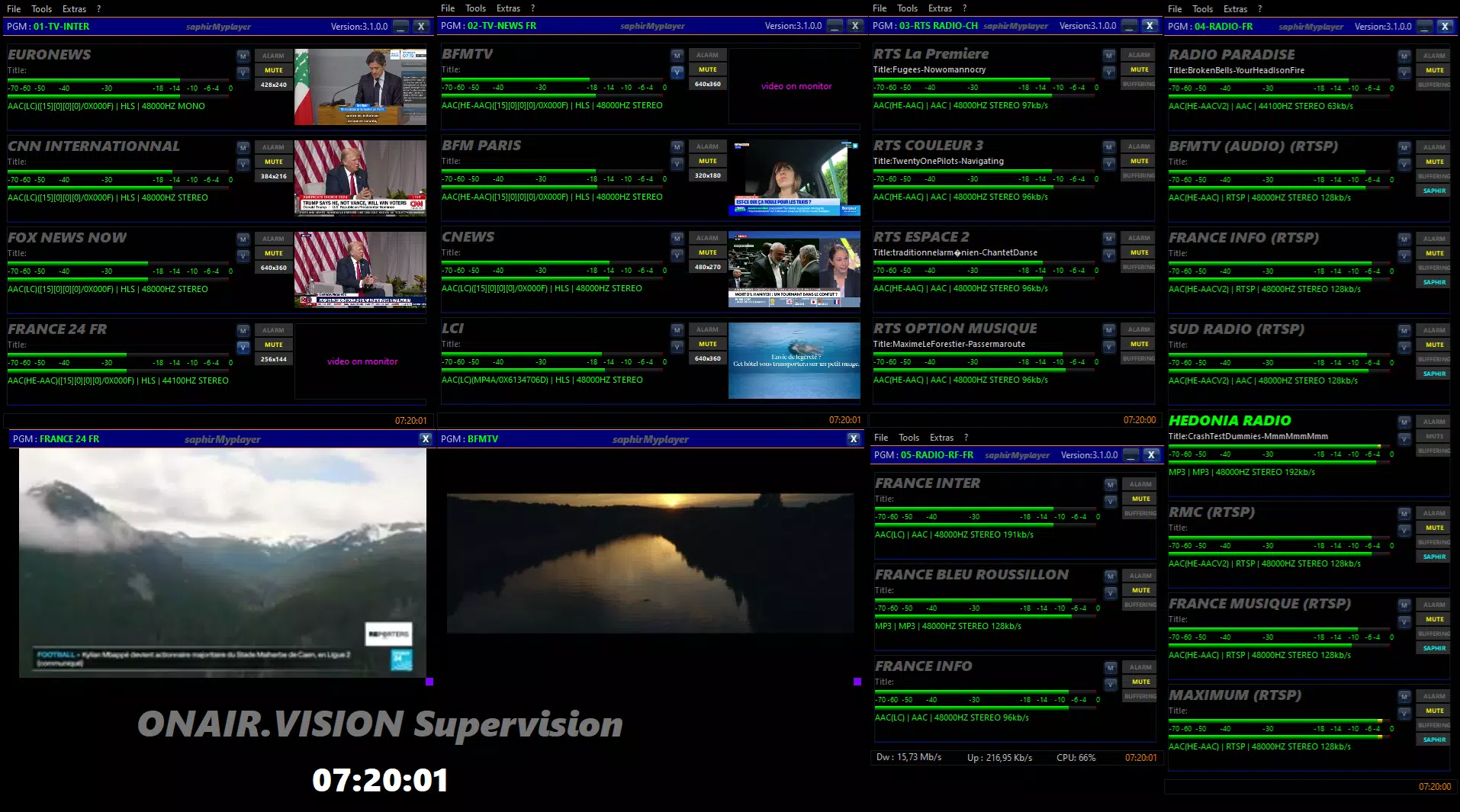
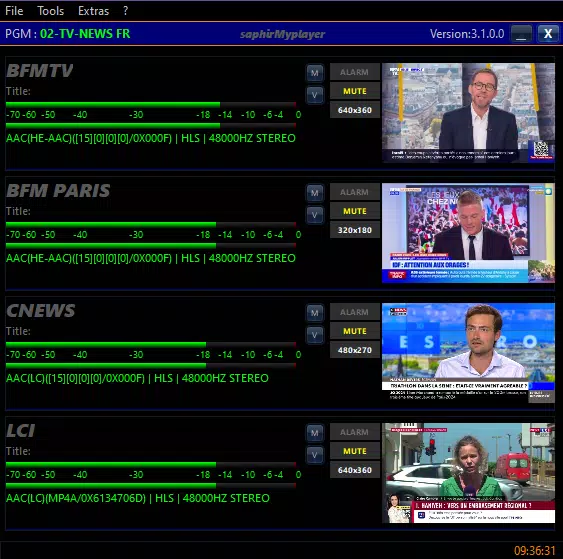
- Multi-Stream Monitoring: The app allows users to launch and monitor multiple audio and video streams simultaneously. This is essential for broadcast teams managing several channels or sources in real time, enabling immediate comparison and oversight.
- User-Friendly Interface: Designed with intuitive navigation, the interface simplifies the process of switching between streams, adjusting settings, and viewing status indicators. This ensures that both new and experienced users can operate the app efficiently without extensive training.
- Anomaly Detection Alerts: Using built-in algorithms, saphirMyplayer detects issues such as signal loss or modulation failure. When detected, the system can trigger SNMP alerts, enabling rapid response and minimizing downtime.
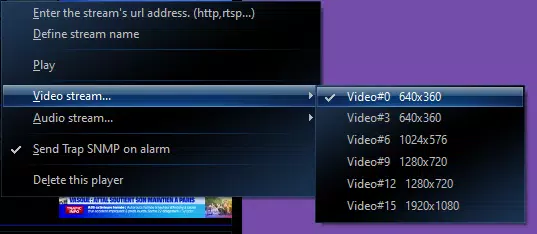
- Individual Audio Control: Users can isolate and listen to audio from any active stream, which is particularly useful for quality checks, troubleshooting, and verifying content accuracy during live broadcasts.
- Versatile Format Support: Leveraging the FFmpeg library, the app supports a broad range of audio and video formats. This ensures compatibility with diverse media sources, eliminating the need for format conversion and streamlining workflow.
For example, a radio station engineer can use the app to monitor three live feeds at once, listen to individual audio tracks for clarity, and receive instant alerts if one stream drops. Similarly, a freelance broadcaster can use saphirMyplayer to verify the integrity of content before distribution, ensuring compliance with technical standards.
Interface, UX & Performance
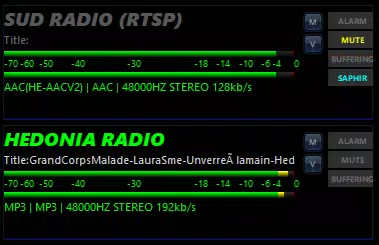
The user interface of saphirMyplayer is structured around clarity and functionality. Stream status indicators, playback controls, and audio selection tools are logically arranged, minimizing user effort during high-pressure monitoring tasks. The visual design prioritizes readability, with clear labels and color-coded alerts that help users quickly identify active or problematic streams.
Navigating between streams is seamless, with intuitive touch-based controls and minimal on-screen clutter. The layout adapts well to different screen sizes, providing consistent usability across various Android devices. Although the developer did not list formal performance metrics, the app’s ability to manage multiple streams simultaneously suggests optimized resource handling.
Performance appears stable under typical usage conditions, with responsive playback and minimal lag during stream switching. The app maintains functionality without excessive battery drain or memory consumption, which is crucial for long monitoring sessions. Compatibility with different device categories is not fully disclosed, but the app’s lightweight footprint of 45.2 MB indicates efficient design.
Platform Compatibility & Technical Requirements
saphirMyplayer is available exclusively on the Android platform. It requires Android OS, though specific version requirements were not listed by the developer. The app’s file size is 45.2 MB, which is relatively compact for a media monitoring tool with advanced capabilities.
Given its focus on multimedia processing, the app likely benefits from devices with decent CPU and GPU performance, especially when handling multiple high-bitrate streams. However, the developer did not specify minimum OS requirements or hardware recommendations. Users are advised to ensure their device meets standard Android system requirements for smooth operation.
Updates are available through the official distribution channel, and the latest version is 2.0.0. The app is currently free to download and install, making it accessible to a wide range of users across professional and personal use cases.
Pros and Cons
Pros
- Supports simultaneous monitoring of multiple audio and video streams
- Intuitive interface suitable for both beginners and experts
- Automatic anomaly detection with SNMP alert integration
- Flexible audio control for individual stream analysis
- Wide format compatibility via FFmpeg library
- Lightweight size at 45.2 MB
- Free to download and use
Cons
- Platform limited to Android only
- Specific OS version requirements not disclosed
- Developer background and support details not publicly available
- No information on cloud sync or remote access features
- Compatibility with older or low-end devices not confirmed
FAQ
Is saphirMyplayer available for iOS?
As of now, the app is only available on the Android platform. No iOS version has been announced.
Can I monitor live streams without an internet connection?
Monitoring requires active network connectivity to access remote streams. Offline playback of previously downloaded content is not supported based on available information.
Does the app support remote access to streams?
The developer did not provide details on remote access capabilities. The app functions as a local monitoring tool for streams accessible via network connection.
Is saphirMyplayer secure for professional broadcast use?
The app does not publicly disclose encryption or authentication methods. Users should ensure secure network environments when handling sensitive broadcast data.
How often is the app updated?
The latest version is 2.0.0, released on August 29, 2024. Regular updates are likely, but no official update schedule has been published.
Final Thoughts + CTA
saphirMyplayer stands out as a powerful, specialized tool in the mobile productivity space, particularly for users engaged in broadcast monitoring and media quality assurance. Its ability to manage multiple streams, detect anomalies, and support diverse formats makes it a practical choice for both professional broadcasters and independent media operators. The clean interface and efficient design enhance usability, while the free price point increases accessibility.
While the app is limited to Android and lacks detailed technical documentation, its core functionality is robust and well-suited to real-world broadcast challenges. For anyone needing reliable, on-the-go monitoring of audio and video streams, saphirMyplayer delivers tangible value.
Download saphirMyplayer now


